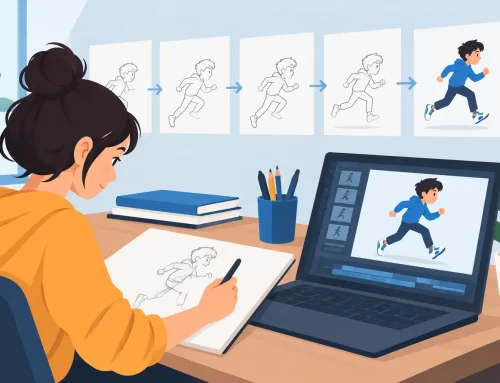
An animatic is where a sequence stops being a pile of drawings and starts becoming a film. You can hear whether a pause lands, see whether a cut is too early, and catch a camera move that fights the action. The best animatic software should make those decisions faster, without turning every timing change into a technical chore.
For hand-drawn animation, that standard matters. An animatic tool that is excellent for editing still images may be frustrating when you need to draw directly into a scene, test holds, adjust exposure, and play the result immediately. The right choice depends on whether your animatic is a planning document, a client-facing pitch, or the first pass of the animation itself.
What the Best Animatic Software Must Do
At minimum, animatic software needs to arrange images or drawings against a timeline, import and trim sound, and play the sequence at a reliable frame rate. Those basics are not enough for artists who intend to animate after the board is approved.
A useful production tool lets you work in the same environment from rough thumbnails through timing, clean-up, color, and final camera moves. That continuity preserves the decisions made in the animatic. You do not have to export stills, rebuild timing in an editor, then translate notes back into another animation program.
Look closely at how the program handles exposure. Traditional animation is built on choices about how long a drawing stays on screen. A character may hold for eight frames before moving on ones, twos, or threes. If changing those exposures requires stopping playback, opening dialogs, guessing, and previewing again, timing becomes slow and cautious. A better system lets you change timing while the scene plays, so you can judge rhythm with your eyes and ears.
Drawing feel is just as important. If your boards are expressive, rough, and constantly revised, the program should respond like a drawing tool first. Clean line control, practical erasing, onion skinning, and quick frame navigation keep the artist focused on acting and staging rather than managing files.
Choose Your Software by the Job It Must Finish
There is no single best choice for every kind of animatic. Start by being honest about the final handoff.
For storyboards, pitches, and editorial review
If your goal is to cut together finished storyboard panels with dialogue, music, and temporary effects, an editing-first application can be enough. These programs are built for assembling media, making revisions to sound, and delivering a review file. They work well when the drawings already exist and timing changes are mainly editorial.
The trade-off is that most editors are not pleasant places to animate. Drawing frame by frame, creating replacement poses, and testing a new action beat can feel disconnected from the rest of the sequence. You may spend more time preparing assets than solving the shot.
For students learning timing and spacing
Students benefit from software that makes frames, exposures, and playback obvious. A complicated production pipeline can hide the fundamentals. The student needs to see that a held drawing changes the pace, that a longer anticipation strengthens an action, and that a blink needs the right number of frames to read.
Choose a program with a straightforward timeline and immediate playback. The ability to rough out a shot, hear dialogue, and alter timing on the spot is more valuable than a long menu of effects. It supports the habit that matters most: test the scene, notice what is not working, and redraw it.
For independent filmmakers and small studios
Small teams often need an animatic to become the production scene. They need rough animation, clean-up, painted frames, audio, and camera work in a workflow that does not require constant exporting. This is where a traditional 2D animation program has a clear advantage over a board-only or editing-only option.
DigiCel FlipBook is built for that direct frame-by-frame process. It lets artists draw roughs and clean-ups, paint frames efficiently, scrub and play scenes, and make timing adjustments during playback. Its camera-style pan, zoom, rotate, blur, and dissolve effects also allow a working animatic to develop into a finished shot instead of being discarded after approval.
For teams with a locked pipeline
A larger studio may already have dedicated software for boards, editorial, compositing, and review. In that situation, the best animatic software is often the one that fits established file formats and approval procedures. A specialized drawing tool may still be the better place to solve animation timing, but the team must confirm how scenes move into editorial and compositing before committing.
Compatibility is a real requirement, not an afterthought. Still, do not confuse a complex pipeline with a better creative process. If artists cannot quickly test a pose against dialogue, the pipeline is costing the production time where it matters most.
Evaluate Drawing Before You Evaluate Effects
Marketing pages often lead with camera moves, filters, templates, or automatic features. Those can be useful, but they will not rescue an animatic with weak staging and stiff acting. Test the everyday actions first: making a new drawing, flipping between frames, adjusting a pose, erasing a line, and checking the scene in motion.
A natural drawing experience is especially valuable during rough animation. Roughs are supposed to be fast, inaccurate in places, and full of revisions. Software that forces careful setup before every change encourages artists to polish too soon. That wastes time and can make the work less alive.
Painting speed deserves the same attention. Animatics often begin in black and white, but color may be needed for pitch work, visual clarity, or final production. Check whether filling areas, correcting color, and revising a painted frame are quick enough to use under a deadline. If color takes several operations for every small correction, artists will avoid revising shots that need revision.
Audio and Playback Are the Real Test
A sequence can look good as individual panels and still fail when played. That is why sound support and dependable playback should be part of every software trial.
Import a short dialogue clip and build a simple scene around it. Mark the major beats, then test several versions of the same reaction. Hold the character longer. Move the head turn earlier. Shift a cut by a few frames. The program should make those experiments easy enough that you actually try them.
Pay attention to scrubbing as well. When you drag through a scene, you need to locate a word, a gesture, or a cut without losing your place. When you play the scene, you need a clear view of its timing at the intended frame rate. An animatic is judged in motion, not by the neatness of its timeline.
Real-time timing control is a meaningful divider here. Traditional animators do not want to repeatedly stop, edit exposures, restart, and hope the change works. They want to feel the shot while it is running and make an adjustment where the rhythm calls for it. That is closer to the way an animator thinks at the desk.
Camera Moves Should Support the Board
Camera controls can make an animatic much easier to understand. A pan clarifies a reveal. A zoom can direct attention. A dissolve can show a passage of time. Used with restraint, these tools communicate the intended shot without requiring a finished background or composited effects.
The warning is simple: do not use camera motion to decorate weak staging. A camera move should answer a storytelling need. Before adding one, ask whether the audience needs new information, a change in emphasis, or a feeling of movement that the drawing alone cannot provide. If not, keep the shot still and let the performance do its work.
A Practical Way to Make the Decision
Do not choose animatic software after watching a feature reel. Download a trial and build one real scene, preferably a scene with dialogue, at least two cuts, and a small camera move. Draw enough frames to test the feel of the tools rather than importing only polished images.
During that test, measure the interruptions. How many steps does it take to revise a drawing? Can you change a hold while watching playback? Is it easy to find the frame where a line of dialogue changes direction? Can you add simple color and camera treatment without sending the scene to another application? Those answers tell you more than a feature checklist.
Also consider support. Students and independent artists should not be left searching forums when a deadline is close. Clear documentation, a usable trial, published pricing, and accessible technical help are practical parts of a software decision.
The best animatic software is the one that keeps your attention on the shot: the expression before the line, the pause before the action, and the exact frame where the audience understands what happens next. Choose the tool that lets you test those choices quickly, then spend the saved time making the drawings come alive.