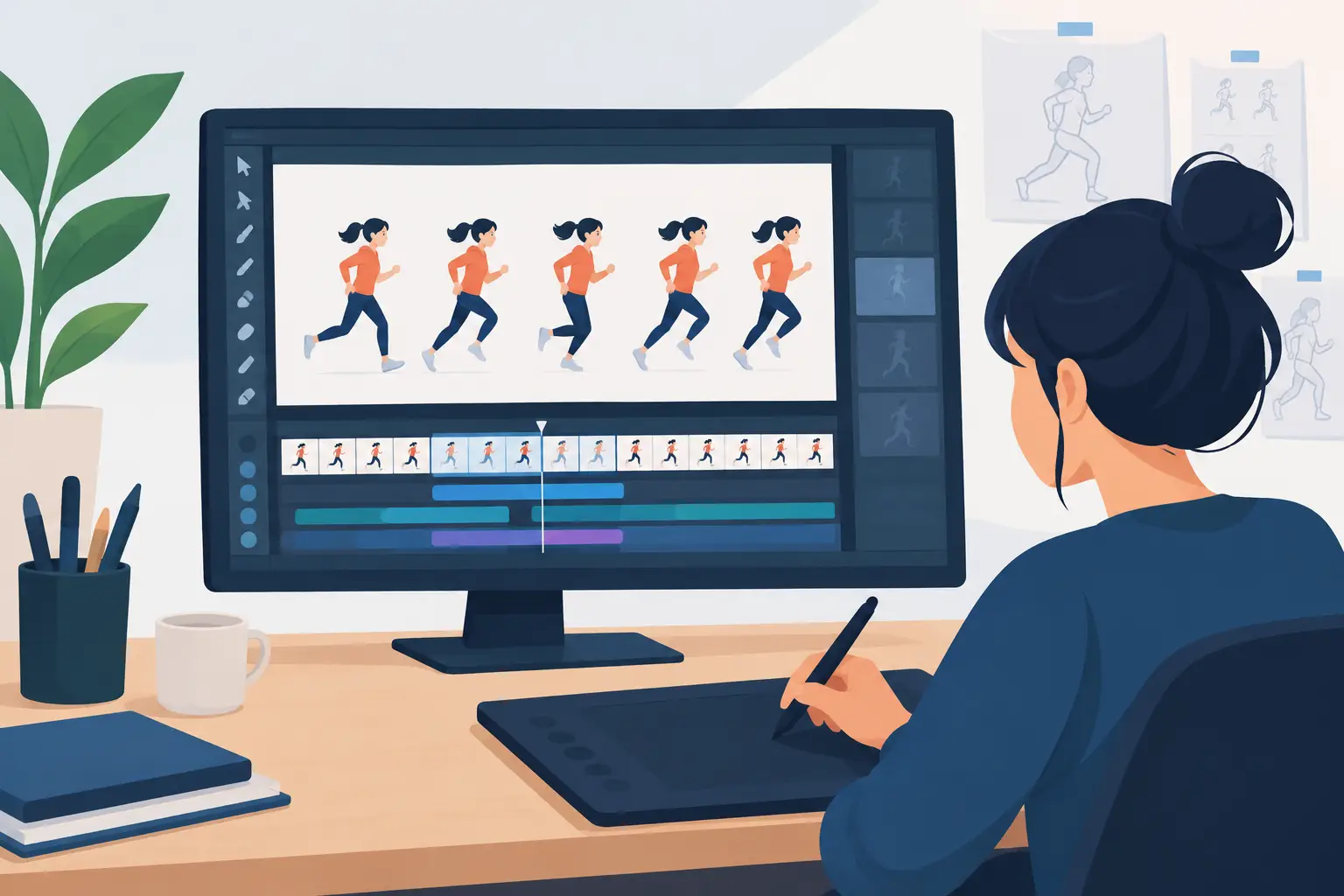

A walk cycle can look fine on a single drawing and still collapse the moment it plays. The contact pose drifts, the hips jump, and the hands lose their arc. That is why an onion skin software review should begin with the actual job: helping an animator see where a drawing came from, where it is going, and whether the motion holds together at speed.
Onion skinning is often treated as a small checkbox on a feature list. For hand-drawn animation, it is part of the drawing table. If the tool is slow, muddy, hard to control, or disconnected from playback, every rough pass takes longer. A good program lets you concentrate on spacing, arcs, volume, and acting instead of wrestling with ghosted frames.
What onion skinning needs to do in production
At its simplest, onion skinning displays surrounding frames as translucent drawings behind the current frame. Previous drawings are commonly shown in one color and upcoming drawings in another. That distinction matters. When you are favoring a breakdown between two keys, you need to judge the path of the motion in both directions without mistaking one drawing for another.
But showing adjacent frames is only the starting point. Useful onion skin controls should let you choose how many drawings appear before and after the current frame, adjust their visibility, and keep the image legible as a scene becomes more complex. A bouncing ball may need only one drawing on either side. A fast character turn, overlapping hair, or a hand reaching across the body may need several.
The best result is not the maximum number of ghosted frames. Too much information creates a gray fog around the current drawing, especially during clean-up. The point is to make a decision faster: Is the inbetween correctly placed? Does the head maintain its construction? Is the hand following a clean arc? Can the animator read the current line without distraction?
Onion skin software review: drawing comes first
A feature can be technically present and still feel wrong. This is where many animation programs lose artists who are accustomed to paper, peg bars, and a real exposure sheet. The drawing experience has to stay responsive while onion skins are visible. Lines should follow the stylus naturally, erasing should be immediate, and the animator should not need to stop drawing to manage the display constantly.
For rough animation, onion skins need to support speed. You are searching for pose-to-pose rhythm, not polishing every contour. A clean interface that leaves the drawing area open is more valuable than a crowded screen full of panels. If changing the number of visible frames takes several clicks, most artists will either avoid the control or settle for a view that is not right for the shot.
For clean-up, clarity becomes even more demanding. The rough line beneath must remain visible enough to preserve volume and proportions, but it cannot overpower the final line. The program should help the cleaner distinguish the drawing being committed to from the guide material around it. That is especially important on twos, where the timing may be held but the drawing still needs to carry a smooth action.
Painting creates another test. A capable 2D package should let artists use onion skins while checking whether color shapes track the drawing correctly. If a character’s sleeve color creeps from frame to frame, the problem is easier to catch while adjacent drawings are visible. Fast paint tools matter here because frame-by-frame color should not turn into a separate, tedious production.
Timing is where the feature proves itself
Onion skinning shows spatial change. Playback reveals temporal change. You need both.
An animator may draw a perfectly spaced arm arc with onion skins on, then discover in playback that the action has a dead frame or accelerates too abruptly. Traditional animation is not just a sequence of attractive drawings. It is the relationship between drawings over time. Software that forces you to stop, alter an exposure, replay, and repeat makes timing feel like clerical work instead of animation.
A stronger workflow lets you adjust timing while the scene is playing so you can hear and see the result immediately. This is especially useful when testing holds, dialogue accents, takes, and secondary action. Rather than guessing whether a drawing should be held for one more frame, you can make the change in motion and judge the shot as an audience will see it.
That difference changes the value of onion skinning. The ghosts help place the drawing; real-time timing control confirms whether that placement belongs at that moment. Neither tool replaces the other. Together, they support the fundamentals students are learning and the production decisions experienced animators make all day.
What to test before you commit
A free trial should answer more than whether the onion skin button exists. Build a short scene: a ball bounce, a head turn, or a character lifting an arm. Work through roughs, a clean-up pass, color, and playback. This exposes the friction that a product page cannot show.
Pay attention to four practical questions:
- Can you change onion skin range and visibility quickly enough to stay in the drawing flow?
- Are previous and next frames easy to distinguish without covering up the active drawing?
- Does the program play back smoothly while you scrub, revise drawings, and adjust exposures?
- Can you paint a sequence quickly without losing control of edges and color areas?
Also test the camera view. A shot can work at the drawing level but fail when panned, zoomed, rotated, blurred, or dissolved. Seeing your animation under the final camera treatment helps prevent surprises late in the process. Small studios and independent filmmakers benefit from having those checks in the same production environment instead of moving work through multiple applications.
Where simple tools beat complicated pipelines
There is a trade-off. Large animation suites can offer extensive compositing, rigging, effects, and asset-management systems. Those options may be appropriate for a studio with a pipeline built around them. They may also put several layers of interface between an animator and the next drawing.
For artists making frame-by-frame work, a purpose-built program can be the better choice when it keeps the focus on roughs, clean-ups, paint, playback, and timing. Beginners gain a clearer connection between what they draw and what moves. Professionals gain fewer interruptions during a shot. Educators can teach timing and spacing without first teaching students how to navigate a maze of unrelated tools.
That does not mean every project needs the same setup. A visual-effects-heavy production may require specialized compositing later. A rigged television pipeline may prioritize asset reuse. But if the heart of the work is hand-drawn performance, select the software around the animator’s daily decisions, not the longest feature list.
Verdict for traditional 2D work
DigiCel FlipBook is a strong fit for animators who want digital speed without abandoning the working habits of classical drawn animation. Its value is not merely that it provides onion skins. It keeps that essential drawing aid connected to responsive frame-by-frame work, efficient painting, camera-style effects, and the ability to adjust timing during playback.
That approach is particularly useful for the animator who wants to rough quickly, check arcs clearly, clean up without visual clutter, and fix a timing problem before it becomes a revision round. Free technical support also matters when a student, teacher, or small studio needs an answer now rather than a ticket number later.
Try any candidate program on a real scene, not a blank canvas. The right onion skin tool should disappear into the work until the only thing you notice is a better drawing, a cleaner arc, and a shot that finally moves the way you intended.