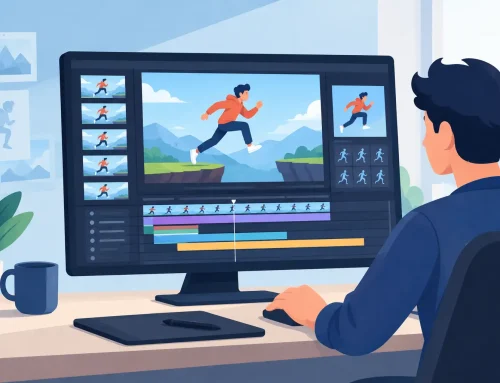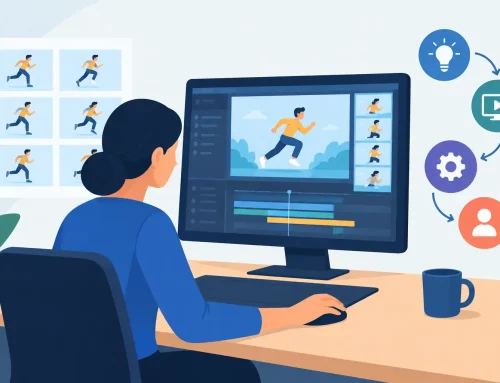
A scene can look right on paper and still play wrong the moment it moves. That is why learning how to preview animation timing matters early, not after cleanup, paint, and camera moves are already piled on top. If you cannot judge timing quickly and accurately, you end up wasting hours on stop-adjust-preview cycles that pull you out of the shot.
Good timing preview is not just pressing play. It is the ability to see motion at the right speed, study spacing frame by frame, feel the weight of an action, and make adjustments without breaking concentration. For students, that means understanding why a walk feels floaty or why a take snaps too late. For working animators, it means getting a shot approved faster and keeping a production moving.
How to preview animation timing the right way
The first rule is simple: preview timing as close as possible to final playback speed, but not only at final playback speed. Real timing decisions come from switching between full-speed playback and direct frame inspection. If you rely only on one, you miss half the information.
At full speed, you feel rhythm. You notice whether a character hangs too long before an action, whether a head turn hits with enough force, or whether a reaction drags. But full-speed playback can hide spacing problems. A motion may feel acceptable in motion even though the drawings bunch up awkwardly or the breakdowns are landing in the wrong place.
That is where scrubbing and frame stepping come in. Scrubbing lets you feel where the action accelerates or stalls. Stepping frame by frame shows whether your spacing supports the timing choice you thought you made. Timing and spacing are related, but they are not identical. Two shots can have the same frame count and play very differently depending on how the drawings are distributed.
Start with the action, not the polish
If you are blocking a shot, preview timing on rough drawings first. That sounds obvious, but many animators still wait too long to test motion because they want cleaner art before they judge it. In practice, that usually creates more work.
A rough pass tells you almost everything you need about timing. You can see the size of the move, the hold before the move, the spacing through the action, and the settle afterward. You do not need painted frames to decide whether a jump takes off too slowly or a blink is hanging for two frames too long.
This is especially important in hand-drawn workflows. Rough animation is where the scene is alive. If the timing works there, cleanup becomes production. If the timing is weak there, cleanup just makes a weak shot more expensive.
Play the shot in short loops
Do not preview the entire scene every time. Loop the specific action you are judging. A short loop makes timing errors obvious because your eye stops adapting to them. If a character lifts a cup, loop the anticipation, the lift, and the settle. If a mouth take is late, loop only the head snap and reaction.
This also keeps you from solving the wrong problem. A long scene can hide a bad action inside a larger sequence. Short loops force precision.
Check the entry and exit
Timing is often judged only on the main action, but the lead-in and follow-through are usually where the shot succeeds or fails. A good preview should show you whether the action starts too suddenly, whether the anticipation is telegraphed too much, and whether the shot lands cleanly.
Animators sometimes add frames to fix a weak action when the real issue is the transition into it. Other times they trim the action itself when the problem is actually a sluggish settle. Previewing entry and exit separately helps you catch that.
Use multiple preview methods for different decisions
There is no single best way to preview timing because different questions need different views.
When you want to judge performance, play the shot at speed. This is where emotion, comedy, force, and rhythm show up. Does the pause read as thought or hesitation? Does the impact hit hard enough? Is the acting beat stepping on the next beat?
When you want to judge mechanics, step through frames. Look at the spacing from key to breakdown to in-between. Are you easing in when the scene needs a crisp hit? Are you crowding drawings near the end of the move so the action dies before it should?
When you want to find the exact place to adjust, scrub. Scrubbing is one of the most useful ways to preview timing because it lets your hand and eye work together. You can feel the action rather than just watch it pass by. In a production setting, this saves time because you can identify the weak section immediately instead of replaying the whole shot over and over.
How to preview animation timing without losing momentum
The biggest timing problem in many animation programs is not playback quality. It is interruption. You make a change, stop playback, enter a value, preview again, make another change, and keep repeating that loop until the scene finally behaves. It is slow, and it breaks your instinct for the shot.
A better workflow is to preview timing while staying in contact with the scene. If your software lets you adjust timing during playback or with fast direct controls, use that. The closer your timing edits are to real-time feedback, the more likely you are to make strong animation decisions quickly.
This is one reason traditional animators respond so well to software built around drawn production instead of generic motion tools. The goal is not to manage a stack of settings. The goal is to see the shot move, feel what is wrong, and fix it before your creative focus drifts. In FlipBook, that real-time timing control is a real advantage because it removes much of the stop-adjust-preview routine that slows down other apps.
Watch for false fixes
Not every timing problem is a timing problem. Sometimes the spacing is wrong. Sometimes the drawing size shifts. Sometimes the arc is off. A preview can trick you into adding or removing frames when the actual issue is draftsmanship.
If a hand move feels mushy, do not assume it needs fewer frames. Check whether the hand is traveling on a clear path. If a character feels weightless on landing, do not just slow the settle. Check whether the squash, overlap, and contact drawing are carrying enough force.
This is where experienced animators save time. They use timing preview to diagnose, not just react.
Preview with context, then isolate the shot
A shot should be previewed both by itself and in sequence. On its own, you can judge pure motion. In context, you can judge whether the timing serves the cut.
A reaction that feels strong in isolation may be too slow after a fast previous shot. A hold that reads well alone may become dead air in the edit. Students often miss this because they evaluate scenes only as exercises. In production, timing belongs to the sequence as much as the shot.
Still, context can also confuse the issue. If the cut before your scene is rough, your timing notes may be misleading. That is why it helps to alternate between isolated preview and sequence preview. One tells you whether the shot works internally. The other tells you whether it works editorially.
Common timing preview mistakes
One common mistake is previewing too late. If you wait until cleanup or paint, you are judging a shot at the most expensive stage to revise. Another is watching the shot too many times without changing the view. If you only press play, you can become numb to the problem.
A third mistake is previewing at the wrong speed. If playback stutters because the scene is overloaded or your preview settings are too heavy, your timing judgment will be off. Keep preview conditions light enough to reflect the actual shot. Timing decisions made from choppy playback are rarely reliable.
The last mistake is trusting numbers more than motion. Exposure counts matter, but animation is still judged by the eye. Eight frames is not fast or slow by itself. It depends on the size of the move, the character, the staging, and the intention.
Build a timing habit, not just a timing check
The best animators do not treat timing preview as a final inspection. They use it constantly. They rough a section, play it, scrub it, step it, trim it, and play it again. That rhythm keeps the scene honest.
For beginners, this builds instinct. You start to recognize how long a blink should hold, how quickly an eye dart should snap, or how much delay makes a take feel funny instead of mechanical. For professionals, it keeps production efficient because bad timing is corrected before it spreads into cleanup, paint, and compositing.
If you want stronger scenes, preview earlier and more often. Watch the shot at speed, inspect it frame by frame, and make changes while the action is still fresh in your hand. That is how timing stops being a technical chore and starts becoming part of the performance itself.